Catalogue App

Having spent some time on the Swim Lane app, I feel a bit more confident to start up another app project. The premise? I frequently come across recommendations for books, movies and tv shows to read and watch. At the moment, I write each one down in a list in my Reminders, which doesn't really work that well. Notes doesn't work for me either. But what if I have an app on my phone where I can add books, movies and tv into lists, read and unread, watched and unwatched?
It's not the most groundbreaking idea in the world, but it's a nice place to start with app design because it's simple and involves a variety of design elements to think about.
The basics are:
- Have 3 lists (books, movies, tv)
- Have a way of adding to (and deleting from) the lists
- Have a way of marking them read or watched
My first attempts don't look great. Mostly just text in list boxes, with a bit of colour on some of the headings. But I manage to create a set of fields for adding each item, and come up with a rough layout of how I want my pages to look and act.
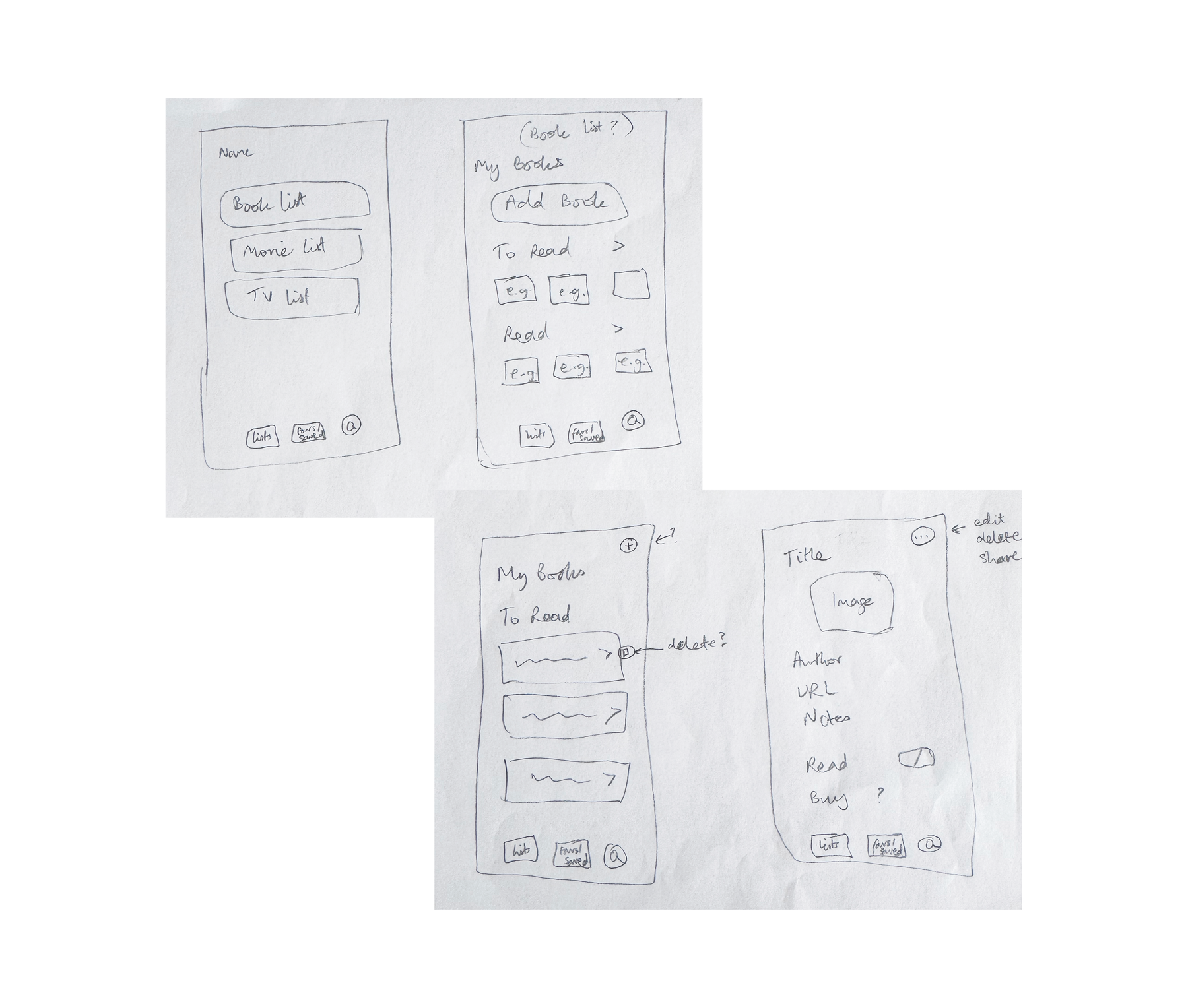
Once again I try to add in extra pages, without thinking whether they are really necessary. I'm not sure why I do this so much, but hopefully one day I'll get there the first time. For now though, I'm happy with getting there after quite a few modifications and iterations! The layout is starting to come together now.
It's the images that really make it look more like a "real" app. At first I just have placeholders, but then I add a few screenshots to my computer and link to them locally. Now I can see what it would look like if I had access to good quality images, and how the rest of the elements would interact with them. Pictures open a whole other design dimension (and challenge) for me.
I also add a starred section, and make sure my settings are adaptable to each area that I'm in. Eventually, I'd like to make it so that you can share recommendations with other people that have the app, and even maybe add "buy it" links. These are things I'm still figuring out at the moment though, so watch this space…